A polished animation doesn’t just “happen.” Behind smooth character movement, cinematic lighting, or an environment that feels real is a strong 3D animation software keeping everything together. For big-screen films, game cutscenes, or branded ads, the program you choose often dictates how good the end product looks.
Some tools are packed with advanced physics, hair simulations, and cinematic effects for pros who know what they’re doing. Others are stripped down, letting newcomers create without drowning in menus. There’s no single ideal software for everyone. What works depends on the type of project and how far you want to push it.
The worldwide market for 3D animation software attained USD 15.01 billion in 2024, expected to rise to USD 35.25 billion by 2033, reflecting a consistent CAGR of 9.45% through 2033.
At Prolific Studio, we’ve worked with just about every platform you can think of. As a 3D animation agency, we’ve seen how much the right program shapes deadlines, output, and client satisfaction. That’s why we put together this breakdown of the best 3D animation software—paid and free—so you know exactly what might suit your workflow.
[elementor-template id=”13845″]
What Can You Do with 3D Animation Software?
3D animation isn’t only about spinning characters on a screen. These tools open doors to a range of industries:
- Game development — design playable characters, enemies, or entire landscapes.
- Architecture — build out spaces for clients before construction begins.
- Commercials — use mascots, logos, or dramatic visuals to boost campaigns.
- Film and streaming content — add effects and realistic characters that keep viewers hooked.
- Product animations — breathe life into everyday objects for better marketing.
For professional 3D modelers, these platforms become their creative playground. For beginners, they’re a practical way to start experimenting with rigs, textures, and lighting without hitting an impossible wall of complexity.
Best Paid 3D Animation Software
Paid software dominates in production houses, ad firms, and studios because it offers features, scalability, and dependable support. Here are some of the most widely used picks:
Autodesk Maya
Maya has a reputation for being the industry’s workhorse. Studios lean on it for film VFX, character animation, and game development. It covers modeling, rigging, rendering, and just about everything else, which makes it versatile for different teams.
The real appeal is how customizable it is. Animators can shape the program around their workflow instead of working within strict boundaries. That flexibility is why it’s often called the best 3D animation software for professionals.
- Cost: Around $215/month
- Platforms: Windows, macOS, Linux
Cinema 4D
Cinema 4D is a favorite in the motion graphics services world. If you’ve seen sleek animated ads with glowing text or seamless transitions, this program probably had something to do with it.
It’s easier to learn than Maya but still powerful enough for pro work. Artists especially like its BodyPaint 3D feature for texturing and its smooth integration with Adobe After Effects. That combo makes it a go-to animation software tool for creatives working across multiple platforms.
- Starting price: $94
- Runs on: Windows, macOS, Linux
Houdini
Houdini takes a node-based approach. Instead of adjusting each model by hand, you work with parameters that let you change things later without starting from scratch.
This style is perfect for effects-heavy projects. Explosions, fire, smoke, water—all of it is Houdini’s strong suit. Game developers also like it when they need to pump out multiple variations of objects without wasting hours.
- Annual fee: About $269
- Supports: Windows, macOS, Linux
Autodesk 3ds Max
While Maya is the film favorite, 3ds Max is the trusted tool for architects and designers. It’s built for crafting realistic interiors, exteriors, and walkthroughs, making it the ideal software for everyone in construction and real estate who needs a virtual preview before the real build begins.
- Platform: Windows only
MotionBuilder
MotionBuilder focuses strictly on character animation. This tool enables the capture of motion data and its real-time application to animated characters.
It’s certainly not the easiest to learn on your own. However, the ability to effortlessly integrate with Maya and 3ds Max makes it invaluable to professionals. This combination makes it an integral component in order to optimize a production pipeline.
- Cost: Around $1,950/year
- Available on: Windows, Linux
Best Free 3D Animation Software
High-end software isn’t the only way to create. Some of the best free 3D animation software rivals paid platforms and are perfect for learners, hobbyists, or small studios.
Blender
Blender is the heavyweight in the open-source 3D animation software scene. It covers everything—modeling, rigging, rendering, simulations, video editing, and more.
The community is its secret weapon. Thousands of contributors add plugins, share tutorials, and improve the platform constantly. Many indie films and even some professional studios use Blender as their main animation software tool.
- Price: Free forever
- Platforms: Windows, macOS, Linux, BSD, Android
Cascadeur
Cascadeur is all about character movement. Using AI-assisted features, it predicts natural poses and movement arcs. That means you can animate believable characters without investing in expensive motion capture setups.
It started in gaming circles but has been steadily gaining traction among independent animators.
- Available for: Windows, Ubuntu
K-3D
K-3D is a free computer animation maker software designed for professionals. It’s open-source, plugin-based, and works with respected rendering engines like RenderMan. The result? Cinematic-level quality if you know your way around the program.
- Runs on: Windows, macOS, Linux
Clara.io
Using a browser, you access Clara.io, and thus, there is absolutely no downloading or installing software. As long as the browser is on, you can access V-Ray together with the modeling and rendering tools.
This makes it handy for people who switch devices often or don’t have strong hardware. The free version gives limited cloud storage and rendering hours, but it’s a great starting point before upgrading.
- Works on: Any WebGL-enabled browser
Choosing the Right 3D Animation Software
No single program works for everyone. The right 3D animation software depends on what you’re building, how patient you are with tricky features, and how much you can spend. A freelance designer churning out motion ads doesn’t need the same setup as a big studio creating game environments. The smart move is matching the tool to the project, not to a “top 10” list.
Learning Curve
Some tools feel like a wall you run into. Maya and Houdini give professionals endless depth, but they’re not friendly to beginners. They demand serious time—and a lot of trial and error.
If you’d like something less punishing, Blender and Cinema 4D are easier to settle into. They still pack professional features, but they don’t leave you drowning in tutorials before you get results.
Project Goals Drive the Choice
The project usually points you in the right direction:
- Films & VFX: Maya, Houdini, Blender
- Ads & Motion Graphics: Cinema 4D, Blender
- Architecture & Product Design: 3ds Max, Clara.io
- Games: Maya, Houdini, Cascadeur
Each program has its sweet spot. Instead of asking “what’s the best,” ask “what’s the best for this job?”
Budget and Hardware
Budgets decide a lot. Paid tools give you polished support and advanced features. But free platforms aren’t weak—Blender, Clara.io, and K-3D prove you can handle real projects without dropping a dime.
Your setup matters too. With a powerful PC, you can run almost anything. If you’re on lighter hardware or constantly switching devices, a browser-based animation software tool like Clara.io makes life easier.
Community Support
Even pros hit walls. The difference is how fast you can find help. Blender’s community is massive, with tutorials and plugins for almost anything. Cinema 4D also has the bonus of connecting neatly with Adobe’s ecosystem, which many designers already use.
What’s New in Animation Software
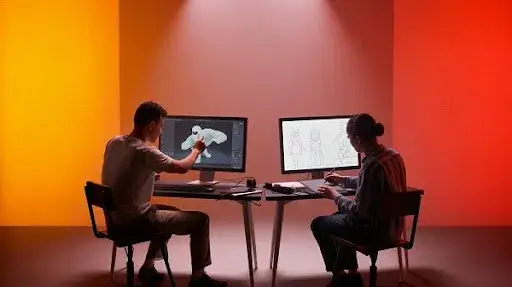
The tools aren’t standing still. Here are a few shifts to keep an eye on:
- AI tools: AI in Cascadeur is used to help characters move in a more organic way. Other software is starting to include automatic lip-sync, intelligent rigging, and even smart backgrounds.
- Real-time rendering: No more waiting hours for previews. Engines like Unreal are letting artists view almost-final shots instantly.
- Cloud workflows: Clara.io animates the way in which team members can simultaneously work on different files and share them without emails that are overloaded with attachments.
- VR and AR exports: That is, tools designed for animated sequences in games, virtual reality, or 3D web experiences are becoming increasingly common.
Quick Tips Before You Commit
- Start with free tools like Blender or Clara.io—you’ll learn the basics without risk.
- Focus on one program first. Switching back and forth slows progress.
- Tutorials are your best friend. Even experienced animators lean on them.
- Don’t forget hardware upgrades. More RAM or a stronger GPU can help more than changing programs.
- Plan ahead. Want a future in film or gaming? Maya or Houdini makes sense. Freelancing or client projects? Blender or Cinema 4D is smarter.
Frequently Asked Questions
Which tools do professionals use?
Maya, Houdini, and 3ds Max dominate in film and gaming. Cinema 4D is the go-to for motion graphics. Blender is popular among indie teams and smaller studios.
Is Blender actually professional-grade?
Yes. Full films, TV ads, and indie games have been built with Blender. It’s not just a “starter tool.”
Can free software be used for paid projects?
Yes. Open-source 3D animation software like Blender and Clara.io allow commercial use. Just check license terms before large-scale releases.
What kind of hardware do I need?
For smooth work: a multi-core processor, 16–32GB of RAM, and a strong GPU. For cloud tools like Clara.io, internet speed matters more than raw specs.
Should I buy paid software right away?
Not unless you need advanced features for a specific job. Free programs will take you far. Paid ones make sense for studio roles or high-end workflows.
Wrapping Up
3D animation software powers your creativity. Tools like Maya and Houdini serve large-scale, professional projects. Blender and Clara.io make the field accessible for learners and small teams without big budgets.
The “best” software isn’t about brand names. Ultimately, it’s a matter of which direction your goals are, how deep your budget is, and your set of work patterns. Download a few, and see which one you are most comfortable with. Stick with that one long enough to get a real understanding of it.
If you’d rather skip the long learning curve, Prolific Studio, one of the best animation studios in Texas, can help. As a 3D animation agency, we combine the right tools with expert skills so your ideas don’t just look good—they connect.
Related Articles
- Top 10 Animation Styles for Your Business
- A List of the Best 3D Modeling Software in 2025
- Top 12 Game Animation Tools on a Budget to Use in 2025