The magic of animation doesn’t kick off with flashy renders or jaw-dropping effects. It begins much earlier, with something far less glamorous but absolutely vital—the 3D animation storyboard. At first glance, it might look like a bunch of sketches, notes, and arrows scattered across a page.
But in reality, this simple framework holds the power to shape the entire production. Get it right, and your project runs like clockwork. Skip it, and you’ll invite confusion, wasted hours, and storytelling that falls flat.
A lot of people call storyboarding the “blueprint” of animation. At Prolific Studio, we like to think of it as the translator of imagination. Those messy script lines, loose character ideas, and sudden sparks of inspiration finally find their structure in storyboard panels. It’s the first moment an idea stops being abstract and starts feeling real.
Fact: A report anticipates an increase from USD 24.11 billion in 2024 to USD 73.13 billion by 2034, estimating the CAGR at 11.7%.
This guide walks you through storyboarding in animation from every angle. You’ll learn about its purpose, history, stages, techniques, and practical storyboard ideas for animation.
By the time you’re done, you’ll know exactly how to make an animation storyboard that’s clear, functional, and production-ready.
[elementor-template id=”13845″]
What is a Storyboard in Animation?
At its core, a storyboard is a series of images laid out in sequence to represent how a story unfolds on screen. Each frame or panel acts like a checkpoint in the story. Inside those panels, you’ll usually find:
- The sequence of events and transitions
- Camera angles, pans, or zooms
- Character actions, poses, and expressions
- Dialogues, sounds, and music notes
It’s not supposed to look like final art. Instead, think of it as a visual roadmap. A roadmap every animator, editor, and director can use to stay on the same page. Without it, even the sharpest script can fall apart once production starts rolling.
Significance of Storyboarding in Animation
Animation eats up time, budget, and resources. Dozens of specialists—from 3D modelers to lighting artists—are involved. Without a storyboard:
- The story loses shape. No one knows how shots are supposed to flow.
- Teams waste time. Fixing mistakes in the middle of production costs much more.
- The final cut feels messy. Missing transitions and visual gaps confuse viewers.
That’s why a 3D animation storyboard is so powerful. It provides alignment, saves rework, and gives teams a shared vision before the heavy lifting begins.
The Role of Storyboards in the Animation Pipeline
Every animation project—whether it’s a short ad, a cartoon series, or a feature-length movie—follows a pipeline. Typically, the process has three big stages:
- Pre-Production – Idea generation, scriptwriting, design concepts, and storyboarding.
- Production – Modeling, texturing, rigging, animation, rendering.
- Post-Production – Editing, sound design, VFX, final polish.
Storyboarding lives in pre-production, but its influence stretches across all stages. It’s the glue that ties the script to the final animated piece. Skip it, and the production crew ends up guessing.
What Does a Storyboard Include?
A strong storyboard animation usually carries three layers of information:
- Scene sequence – How events play out, one after the other.
- Audio + visuals – Key actions, spoken lines, sound effects, or music cues.
- Technical notes – Camera shots, angles, movement, and transitions.
At Prolific Studio, our storyboard artists balance all three. The goal is always clarity—clear enough for the animators to follow, flexible enough to adjust as ideas evolve.
A Quick History of Cartoon Storyboards
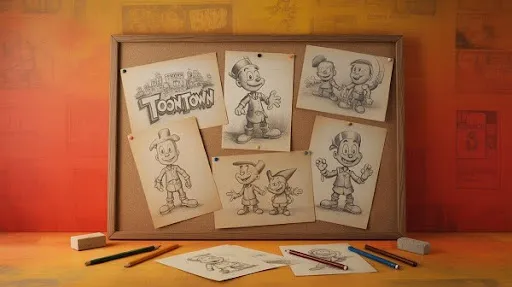
The art of storyboarding isn’t new. In fact, it goes back to the golden age of animation. Walt Disney Studios in the 1930s pioneered the process. Animator Webb Smith is often credited with pinning rough sketches on boards in sequence to map out films.
One of Disney’s most famous works, Three Little Pigs (1933), was the first fully storyboarded short. Its success set the standard, and by the late 1930s, nearly every major animation studio was hooked on storyboarding.
Live-action cinema quickly caught on, too. Films like Gone with the Wind (1939) were storyboarded from start to finish. Fast forward to today, and storyboards are a must-have in animation, commercials, video games, and beyond.
How to Make an Animation Storyboard
So, how do you actually put one together? Making a 3D animation storyboard isn’t about drawing like Da Vinci. It’s about clarity, pacing, and detail.
There are two common ways to approach it:
- Start with a script. Write out the full story, then translate it into visuals.
- Jump straight to panels. Skip the script and sketch out ideas as they come.
For big projects, the first method works best. For smaller pieces—like a short ad or cartoon sketch—the second method can sometimes save time.
Step-by-Step Guide
Here’s a simple process that works for most animation teams:
- Break down the script. Highlight beats, dialogues, and scene changes.
- Thumbnail sketches. Quick, small drawings to test flow and timing.
- Detailed panels. Flesh out characters, backgrounds, and staging.
- Add notes. Indicate movement, dialogue, and sound cues.
- Insert camera directions. Arrows for pans, zooms, or transitions.
- Review + revise. Share with the team, tweak pacing, fix gaps.
It’s an iterative process. Don’t aim for perfection in the first draft—aim for readability.
Stages of Storyboarding for Animation
The storyboarding for animation process usually unfolds in three phases:
- Planning – Setting goals, scheduling time, and preparing references.
- Production – Actually drawing the storyboard panels and adding notations.
- Revision – Reviewing drafts, making changes, and finalizing the flow.
Revisions are not a setback—they’re the most valuable part. It’s cheaper and easier to fix issues at the storyboard stage than in full animation.
What Should a 3D Animation Storyboard Look Like?
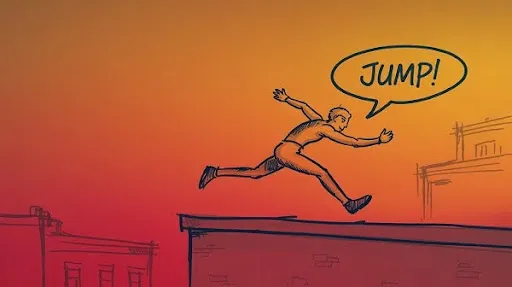
Not every storyboard needs to look fancy. Some are stick figures, others are detailed sketches. What matters is how well they communicate.
Key features you’ll usually see:
- Panels in sequence (six per page is common).
- Captions under each frame explaining dialogue or staging.
- Arrows showing motion and camera angles.
- Colors or highlights to distinguish main characters from the background.
At Prolific Studio, our storyboard templates typically include:
- Scene and shot numbers
- Dialogues
- Action cues
- Staging notes
This structure ensures that when production starts, everyone knows exactly what to do.
Animation Storyboard Examples and Ideas
The scale of storyboards changes depending on the project. A 30-second commercial might only need 12 frames, while a feature film could stretch into thousands.
Some animation storyboard examples include:
- A cartoon storyboard for a comedic skit.
- An explainer storyboard breaking down a product demo.
- A cinematic storyboard for an action-heavy 3D sequence.
- An educational storyboard that guides step-by-step visuals.
Each serves the same purpose: making sure everyone sees the story before it’s animated.
Why Labeling is Crucial
Labeling may sound boring, but it’s the unsung hero of storyboarding in animation. Every panel must be marked with scene and shot numbers. For example:
- Scene 07: Shot 1A
- Scene 07: Shot 1B
- Scene 07: Shot 2
This level of organization prevents confusion when multiple teams are working in parallel. Some software automates this, but manual labeling is still common practice in many studios.
Why Do Animators Bother With Storyboards?
If you’ve ever wondered why animators spend time sketching rough boxes instead of jumping straight into dazzling visuals, the answer is simple: storyboards are the safety net. Scripts might tell you what happens, but storyboards show you how it unfolds.
Think of them as rehearsal footage before the cameras even roll. They’re where pacing problems, awkward cuts, or gaps in logic get exposed—before the team invests hours animating the wrong thing.
In practice, a storyboard for 3D animation services becomes:
- A visual script, showing the rhythm of the story at a glance.
- A filter for mistakes, catching odd transitions or plot holes.
- A budget saver, since redrawing is always cheaper than re-rendering.
- A common language, bridging writers, animators, editors, and even clients.
Some indie animators skip the script entirely and use storyboards as their “script pages.” It works if the project is small. But at Prolific Studio, one of the best animation studios in Atlanta, we usually combine both. Words give clarity; visuals give direction. Together, they prevent chaos.
Storyboards as Problem-Solvers
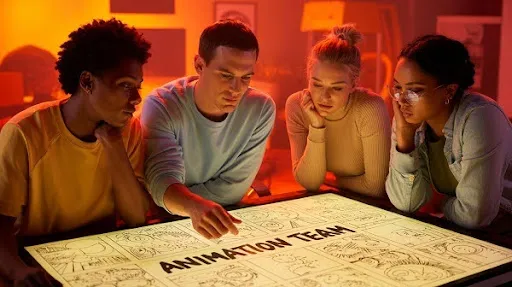
Here’s something most people don’t realize: a storyboard isn’t just for planning—it’s also for testing. Lay out a scene in panels, and you instantly see what doesn’t click.
Maybe a gag that reads funny in text falls flat visually. Maybe a chase scene drags because the beats are too similar. Or maybe you notice a character pops into a room without explanation. These things hide inside scripts but leap off the page once you storyboard.
That’s why many animators call it “debugging” for storytelling. By the time you reach production, you’ve already ironed out half the wrinkles.
How Much Detail Is Enough?
Clients often ask, “Do we need full-on drawings or will stick figures do?” The answer: it depends on scale.
- A cartoon sketch or 30-second ad? Stick figures plus arrows are often fine.
- A 3D product demo or commercial? Cleaner drawings with notes on camera movement make life easier.
- A feature-length film? That’s where you’ll see colored panels, refined staging, and numbering systems that run into the thousands.
The golden rule: don’t overcook the art too early. A storyboard isn’t concept art—it’s communication. Rough shading, simple poses, and even doodles can carry the weight if they explain the flow. Later stages are where the polish belongs.
At Prolific Studio, we often use just a splash of color—enough to highlight the hero character or a key prop—so that eyes land exactly where they should. It’s fast, efficient, and crystal clear.
Ideas That Shape Storyboards
Different projects demand different types of animation:
- Explainers lean on simple visuals, arrows, and text bubbles.
- Comedy shorts thrive on expressions and comedic timing.
- Action-driven 3D sequences need big arrows, zooms, and sweeping camera paths.
- Educational videos favor step-by-step clarity, sometimes with labels right in the frame.
The format shifts, but the goal never changes: making sure everyone can “see” the story before it’s animated.
Anatomy of a Panel
There’s no sacred formula, but one of the most reliable setups is six panels per page. Enough to capture rhythm, not so many that it feels cramped.
A solid panel typically has:
- Scene + shot numbers (to stop chaos later).
- Dialogue or captions under the frame.
- Action cues like “Door creaks open” or “Zoom in on eyes.”
- Staging notes for props or environment.
It’s not about pretty drawings—it’s about preventing guesswork once the animators get started.
Tools of the Trade
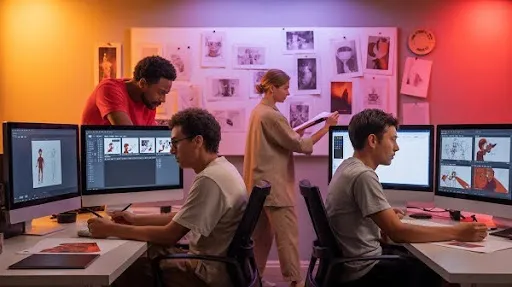
Storyboards used to live on walls—literally. Whole studios lined corkboards with hundreds of pinned sketches. Today, software makes the process faster and easier to share.
Some favorites:
- Storyboard Pro – The heavyweight champion in animation circles.
- Toon Boom – Versatile, especially for hybrid 2D/3D projects.
- Adobe Photoshop or Illustrator – Great for custom layouts.
- Storyboarder by Wonder Unit – A free, surprisingly powerful option for indie creators.
At Prolific Studio, we pick tools based on workflow. For teams scattered across locations, cloud-friendly platforms save the day. For in-house projects, old-school pen-and-paper still works when ideas are flying fast.
Pro Tips From the Trenches
Want your storyboard to actually work in production? Keep these habits:
- Think like a cinematographer. Frames aren’t static drawings—they’re shots waiting for motion.
- Stay messy at first. Clean lines can come later; clarity is the first milestone.
- Use arrows liberally. They save paragraphs of explanation.
- Label everything. Scene 07A means the same thing to every team member, no matter where they sit.
- Write when pictures fall short. A caption can clarify what a sketch can’t.
- Save your drafts. Version one might look crude, but sometimes it holds the best idea.
Little things like this separate a confusing storyboard from a production-ready one.
Frequently Asked Questions
Can you storyboard without drawing skills?
Yes. Stick figures, arrows, even block shapes can do the trick. It’s about function, not artistry.
What’s the difference between a script and a storyboard?
The script explains the story with words. The storyboard shows it with visuals. They’re partners, not replacements.
Are storyboards more detailed in 3D animation?
Often, yes. Since 3D requires planning of angles, depth, and staging, extra detail in the panels pays off.
Is there free storyboard software?
Definitely. Storyboarder is a solid free option. For more control, Photoshop or Illustrator work well if you already own them.
Final Word
A storyboard isn’t busywork. It’s the skeleton your animation stands on. Skip it, and the whole project wobbles. Do it right, and everything—from the first frame to the final render—falls into place.
At Prolific Studio, we see storyboarding as both art and strategy. It’s where wild ideas get organized, where scripts gain shape, and where costly mistakes get caught before they snowball.
So whether you’re building a 30-second explainer video or an epic animated short, don’t think of storyboarding as optional. Think of it as your project’s insurance policy—and the first real glimpse of imagination made visible.
Related articles: