Scroll through property listings today, and most of them feel the same. Sleek photos, polished descriptions, maybe a floor plan tucked in somewhere. But when everything looks similar, what really makes someone stop scrolling?
That’s where 3D virtual tours step in. Instead of staring at static pictures, people can actually move through a property on their phone or laptop, checking out rooms at their own pace and pausing at the details they care about. For agents and landlords, that can be the difference between a listing that lingers and one that gets snapped up quickly.
Fact: Virtual tours decrease unnecessary in-person visits by roughly 40%.
This guide walks you through the whole process: how to create virtual tours for real estate, which tools are worth using, and the best 3D virtual tour apps out there. We’ll also talk about why the power of virtual real estate tours is so effective and how you can use them to stand out from the crowd.
[elementor-template id=”13845″]
Why 3D Virtual Tours for Real Estate Work
Flat photos don’t show the full story. They don’t explain how one room flows into the next, or how much sunlight hits the living room in the afternoon. With 3D animation services, real estate virtual tours fix that. Prospects step inside without ever setting foot there and get a sense of how the property actually feels.
Here’s why that matters:
Listings With Virtual Tours Get More Attention
With thousands of listings online, sameness is a problem. A property that offers a 3D virtual tour instantly feels more real, and that makes people click instead of scroll past.
They Highlight Features Photos Miss
Wide-angle shots can make a space look bigger, but they also distort. Virtual tours for real estate let buyers or renters move around freely. Details like tall ceilings, interesting fixtures, or balcony views stand out in a way that still photos never could.
They’re Perfect for Long-Distance Clients
Not everyone can make it to an open house. Busy jobs, relocations, or living in another state make in-person viewings tricky. That’s where the power of virtual real estate tours really shines. A prospect hundreds of miles away can walk through a property and feel confident about moving forward.
They Bring More Visitors to Your Website
Publishing a virtual tour across multiple platforms does more than look good; it improves visibility. Many listing sites now let people filter only by “virtual tour available.” Skip it, and you may lose out before anyone even considers your property.
How to Create Virtual Tours That Look Professional

The best part? Setting up a solid virtual tour with 3D animation isn’t complicated. With the right gear and software, you can make something polished without spending hours editing.
Here’s the breakdown:
Step 1: Choose Your Gear and Virtual Tour Software
You need clear, high-quality images. Two main ways to get them:
- 360° Cameras: These capture the entire room in one shot using multiple wide-angle lenses. They cost around $250–$500 but pay off if you’re handling multiple units. Shooting an entire house can take less than half an hour.
- Smartphone Add-Ons: Budget-friendly options that let you attach a panoramic lens to your phone. Perfect for smaller portfolios or individual landlords who want to stand out.
Once the photos are done, you’ll need virtual tour software. That’s what stitches images into a smooth, interactive walkthrough. Good platforms also offer extras like dollhouse views, floor plans, and editing tools.
Step 2: Use Good Lighting and Angles
Lighting makes or breaks your shots. Bright spaces feel welcoming, dark spaces don’t. Before you shoot:
- Open blinds and curtains.
- Switch on ceiling lights and lamps.
- Try to shoot in daylight hours.
Keep your camera at eye level, around 5 feet. It avoids awkward angles. Many 360 cameras link with your phone so you can trigger shots remotely and stay out of the frame.
Some setups also support bracketing, where multiple exposures get blended together. It’s handy for tricky spaces with a mix of bright windows and dark corners.
Step 3: Upload to a Hosting Platform
Your images need a place to live online. A hosting platform transforms them into an interactive tour. Some 3D virtual tour apps handle this automatically, others let you upload manually.
Once uploaded, prospects can move through the property, rotating angles, switching rooms, and experiencing it as if they’re actually there.
Step 4: Build and Edit the Walkthrough
Here’s where your photos become a full tour. Depending on the software:
- Some apps auto-stitch everything into a ready-made tour.
- Others let you add clickable hotspots, floor plans, or interactive arrows.
- If you want to refine images, tools like Photoshop or Lightroom give extra polish, though most built-in editors are enough.
Step 5: Share the Virtual Tour Everywhere
When the tour’s ready, publish it. Upload to Zillow, Apartments.com, Craigslist, and Realtor.com; each platform reaches a different audience.
Don’t forget your own site. Embedding a tour directly there gives you full control over presentation. Plus, sharing the virtual tour across multiple platforms multiplies visibility and helps you stay ahead of listings that only have photos.
Best Apps to Create Stunning 3D Virtual Tours
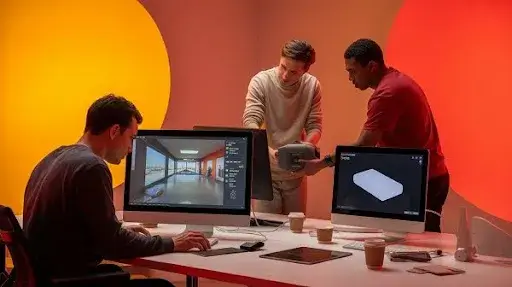
Plenty of options exist, but a few stand out for real estate.
Asteroom
Affordable and simple. Pair their 3D kit with your phone, and you can shoot an entire property in minutes. Their service also:
- Enhances your photos.
- Builds interactive tours with dollhouse views.
- Creates accurate floor plans.
- Provides sharp 2D images for listings.
They even offer 3D staging, great for empty homes.
Matterport
Probably the most recognized name in the space. Flexible capture methods: use your smartphone, a 360° camera, or book a pro photographer.
Tours are edited and uploaded through their app. Plans range from free to premium with extras like schematic floor plans, OBJ files, and video exports.
It’s not built just for real estate, but it’s trusted by architects, designers, and builders. That credibility carries weight.
CloudPano
Easy to use and customizable. Shoot directly in the app or upload from a camera. Hosting is simple, no coding required.
A standout feature is live chat. Prospects exploring a tour on your site can message you instantly. That direct contact often turns interest into a showing.
The Power of Virtual Real Estate Tours in Action
Adding a 3D virtual tour isn’t just about being trendy. It impacts real results. Agents and landlords using them report:
- Faster sales and leases.
- Higher engagement on listings.
- More qualified leads since people know what they’re getting before booking a visit.
- Better experiences for long-distance renters who can’t easily view in person.
For managers with multiple properties, it cuts down wasted time. Instead of 10 in-person showings for people who may not be serious, the virtual tour filters them. Only those genuinely interested book a visit. That saves time and energy for everyone.
Tips to Make Your Virtual Tours Stand Out
At this point, almost every agent is trying 3D virtual tours. That also means most of them look the same. If you want people to remember yours, it has to feel smooth, easy to move through, and just a little bit better than the rest. Here are a few things that actually help:
1. Stage the Space (Digitally or in Person)
An empty room doesn’t give much away. Drop in a sofa, maybe a dining table, and suddenly buyers see a home, not just four walls. No budget for furniture? Most 3D tour apps now have digital staging tools that do the job. It’s a quick fix that changes how the whole place feels.
2. Keep the Walkthrough Logical
Think about how you’d actually walk through the house. You come in through the entry, drift into the lounge, then the kitchen, then the bedrooms. If the tour jumps around, people lose interest. Place your navigation points at natural spots, doorways, and hallways, so the flow feels like a real visit.
3. Use Hotspots for Features
A balcony with a skyline view or a brand-new dishwasher? Don’t leave buyers guessing. Drop in a hotspot note so they don’t miss it. Those details often make someone book a showing faster than you’d expect.
4. Don’t Let It Lag
This one’s simple: nobody waits for a slow-loading tour. Compress the files before you publish. Keep the quality sharp but the load times short.
5. Brand Gently
A small logo in the corner works. A giant watermark across every wall? That’s the fastest way to annoy a buyer. Subtle branding means if the tour gets shared, your name stays attached without distracting from the property itself.
Why Virtual Tours Strengthen Your Marketing
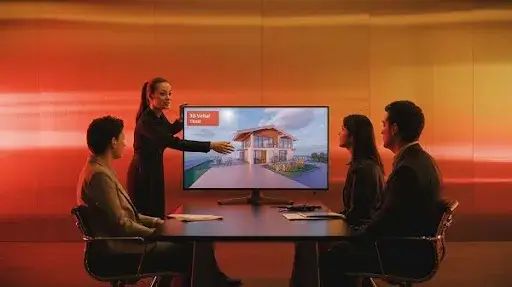
Flat photos can only do so much. A virtual tour changes the way buyers engage with your listings.
- More visibility. On many sites, buyers can filter for “tours only.” If you don’t have one, you might never appear.
- More time spent. People skim photos fast, but they stick around when they can actually move through the space.
- Better leads. A person who schedules a showing after viewing the tour already knows the layout, so fewer wasted trips.
- Faster choices. Buyers hesitate when they’re unsure about layout or light. Tours answer those questions before they ask.
Making Tours Part of Your Sales Strategy
Creating a tour is step one. Getting it in front of the right eyes is step two. Here’s what works:
- Put it on your website. Relying only on portals is risky. Embedding it yourself keeps people browsing longer and helps your SEO.
- Share on social media. A 10-second teaser on Instagram or TikTok can push people to see the full tour.
- Add it to your emails. A single clickable line, “Walk through this home in 3D”, beats a chunk of text every time.
- Pair it with video. The tour shows structure. Video adds lifestyle context. Together, it feels complete.
- Try live walkthroughs. Some platforms let you guide clients remotely through the tour. For out-of-town buyers, that’s huge.
What It Costs to Build a Virtual Tour
This always comes up first: price. The truth is, it’s probably cheaper than you think.
- DIY, shoestring budget. A phone, a panoramic lens, and a basic app like Asteroom can give you a working tour for under $50.
- Mid-range. A decent 360° camera plus software subscription runs about $300–$600 upfront, with small hosting costs.
- Professional. Hiring a photographer usually lands between $200–$500 per property. It’s polished and ready to go.
One sale usually covers the cost many times over.
Mistakes That Hold Back Virtual Tours
Some tours flop because of small but costly errors:
- Poor lighting makes rooms feel smaller. Shoot during the day.
- Overstaging crowds the rooms. Less is more.
- Huge file sizes slow everything down. Compress before you upload.
- Ignoring mobile users kills reach. Most buyers browse on phones first.
- No analytics means no improvement. Use the platform tools to see what people click most.
Frequently Asked Questions
Can I make one with just a phone?
Yes. Add a panoramic lens and a reliable app, and it works fine for most listings.
How long does a tour take to create?
For a two- or three-bedroom house, under an hour with a 360° camera.
Do they replace in-person showings?
Not fully. They reduce casual “just looking” visits, but serious buyers still want a final walkthrough.
Are tours useful for rentals?
Absolutely. Landlords fill vacancies faster and avoid wasted viewings with unfit tenants.
Final Words
The market is crowded. Photos alone don’t give buyers enough to decide. A 3D virtual tour makes a property stand out, shows details that static images miss, and gets buyers closer to saying yes.
For agents, landlords, or agencies, these tours aren’t a bonus anymore; they’re a necessity. They’re affordable, quick to set up, and the return is hard to ignore: more attention, stronger leads, and faster deals.