Look closely at a car in a video game or a metallic robot in a sci-fi film. None of those designs start out polished. They begin as digital blocks, pushed and pulled until they resemble something recognizable.
The discipline behind those crisp, mechanical objects is called hard surface modeling. It’s the craft of building man-made items in 3D form — sharp, structured, and reliable.
This skill is a cornerstone of modern 3D work. Studios lean on it when they need a convincing product visualization, a futuristic weapon, or a sleek machine. For anyone serious about 3D design, this modeling technique isn’t just another tool in the box. It’s a foundation.
[elementor-template id=”13845″]
What Is Hard Surface Modeling?
At its core, hard surface modeling is about creating digital representations of rigid, manufactured objects. Cars, drones, gadgets, and even furniture fit into this category. These assets don’t bend or stretch like skin or muscles. They stay consistent, which makes precision more important than improvisation.
Artists working with this approach put heavy focus on edges, surfaces, and the clean look of the final piece. You’ll find it everywhere — from industrial visualization to professional 3D animation services that require production-ready models.
Hard Surface Modeling and Organic Modeling
The easiest way to make sense of hard surface modeling is to compare it with organic modeling.
Hard Surface Modeling
Think of phones, drones, watches, or spacecraft parts. Even if those items in real life use flexible materials, the modeled version is treated as rigid. What matters most is the polished, solid exterior.
Organic Modeling
Organic models represent things that flow and deform. Humans, animals, and plants fall into this category. Their forms rely on curves, soft transitions, and small surface details like folds and wrinkles.
Both techniques need a structured workflow for modeling. The difference is in focus: one prioritizes mechanical precision, the other natural movement. Sometimes projects demand a blend of the two — like a character wearing heavy armor or a hybrid robot with living tissue.
Why Hard Surface Modeling Carries Weight in 3D Design

Hard surface work is less about artistic improvisation and more about technical accuracy. That’s exactly why industries depend on it.
- Product design teams rely on it to present prototypes.
- Architects showcase buildings, furniture, and interiors with it.
- Game studios use it for weapons, vehicles, and futuristic environments.
- Healthcare specialists benefit from it in tasks like medical drone 3D modeling hard surface projects, where precision saves time and money.
Without artists who bring modeling experience in this field, many industries would struggle to visualize products that must look functional and believable. The worldwide 3D modeling market achieved around USD 6.9 billion in 2024 and is anticipated to rise to USD 15.2 billion by 2031, exhibiting a forecasted CAGR of 11.9%.
Core Techniques in Hard Surface Modeling
No single modeling technique dominates. Artists usually mix methods depending on what they’re building. Here are some of the go-to approaches:
Box Modeling
Start with a cube or cylinder and build from there. Extruding, beveling, and reshaping basic geometry eventually produces complex forms. This approach keeps topology tidy while leaving plenty of room for adjustments.
Polygonal Modeling
This method means working face by face. It can be tedious, but the payoff is high precision. Great for close-up models that need to withstand heavy scrutiny.
NURBS Modeling
NURBS (Non-Uniform Rational B-Splines) use curves to generate smooth surfaces. Engineers and product designers like this approach because it delivers mathematically exact geometry.
Subdivision Modeling
Subdivision turns a rough mesh into something smoother by splitting polygons into smaller sections. With extra cuts and loops, you can keep hard edges intact. It’s a practical balance between organic and mechanical form.
Kitbashing
Instead of starting everything from scratch, artists often combine pre-built assets — gears, panels, bolts, or even entire model sections. Kitbashing speeds up production while allowing creative combinations.
Edge Loops
Edge loops are a backbone of clean modeling. Proper placement keeps curves flowing naturally and prevents shading glitches. They’re particularly important for rounded shapes like helmets or vehicle bodies.
Constructive Solid Geometry (CSG)
CSG uses Boolean operations — union, subtract, intersect — to combine or cut shapes. It’s a direct way to generate complex designs without manually building each part.
Each of these methods has its place. A single project may require several of them, which is why flexibility is key in a solid workflow for modeling.
Workflow for Modeling
The process may look different from artist to artist, but most workflows share a common rhythm:
- Collect References
Start with photos, sketches, or blueprints. A project like a medical drone would demand studying real drone mechanics and medical equipment parts.
- Block Out Shapes
Build a base using simple geometry to lock in proportions. Without this step, details can quickly spiral out of scale.
- Add Details
Bevels, screws, surface trims — these touches make the difference between a student project and a production-ready model.
- Check Topology
Even though these objects don’t deform like organic characters, bad topology can break shading and create ugly render results.
- Apply Materials and Textures
Metal, glass, or plastic textures bring the surface to life. With smart mapping, even a simple shape can look striking.
- Render and Test
Check the asset under different lights and from various angles. Any flaw in geometry or materials tends to show up in these tests.
A consistent workflow makes hard surface modeling reliable. Skip a step, and the final result usually feels off, even if the audience can’t explain why.
Software Choices for Hard Surface Modeling
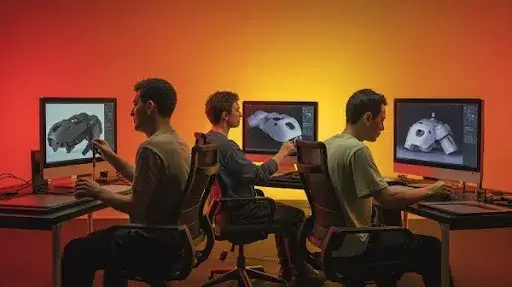
Your pick of software often depends on experience and project type. Popular tools include:
- Blender – Free, feature-packed, accessible to both beginners and veterans.
- Maya – Widely used in film and professional animation.
- 3ds Max – Favored for architecture and game environments.
- Fusion 360 – CAD-focused, strong in product design.
- ZBrush – Known for sculpting, but useful for adding surface details.
Studios offering professional 3D animation services rarely stick to one tool. A project might start in Maya, get detailed in ZBrush, and end up rendered in Blender or Unreal Engine.
Where Hard Surface Modeling Fits in Different Fields
The reach of hard surface modeling is broader than many realize:
- Gaming: Weapons, vehicles, and armor.
- Film and Animation: Spaceships, robots, environments.
- Architecture: Buildings, interiors, furniture.
- Engineering: Machines, parts, and prototypes.
- Healthcare: From prosthetics to medical drone 3D modeling hard surface designs.
- Jewelry: Tiny, intricate forms that demand accuracy.
In each case, the modeling technique serves one goal: translating an idea into a form that looks ready for real-world use.
Advanced Principles in Hard Surface Modeling
Getting the basics down is one thing. But after you’ve built a few robots or vehicles, you start to notice something — pros don’t just push vertices around. They think in systems. They design for changes, accuracy, and the unexpected.
Take non-destructive modeling. It’s not glamorous, but it’s a lifesaver. Instead of hacking up geometry, you keep things flexible with modifiers or layers. That way, when a client suddenly wants thinner bevels or sharper edges, you don’t spend hours redoing work. A couple of tweaks and it’s done.
Precision alignment is another one. Manufactured parts don’t “sort of” fit together — they lock in perfectly. A panel line that’s off by a hair, or a screw hole that doesn’t line up, instantly breaks realism. That’s why pros are constantly checking against CAD data, blueprints, or even measurements from real gear.
And scale? That’s the silent killer. If a drone’s propellers look too thick, or a chair comes out doll-sized, the whole model feels off. Most artists fix this early by working in real-world units. It’s a small habit, but it prevents a ton of rework later.
Common Challenges (and How the Pros Handle Them)
Even veterans hit walls. Here are a few that never really go away:
- Messy topology. Overlapping faces cause shading nightmares. The cure is boring but effective: clean loops and deleting junk geometry.
- Over-detailing. Bolts, wires, scratches everywhere might feel fun to add — until your render grinds to a halt. Studios usually solve this with two versions of a model: one packed with detail for close-ups, another lighter one for background shots.
- Texture stretching. A flawless mesh can still look broken if the UVs are lazy. Pros test their textures under multiple lights before signing off.
- Switching tools. Jumping from Blender to Maya feels like learning to walk again. That’s why cross-software training is gold in studios.
Every time you trip on one of these, you learn. And every time you learn, your workflow tightens up. That’s how hobbyists quietly become professionals.
Building Real Modeling Experience
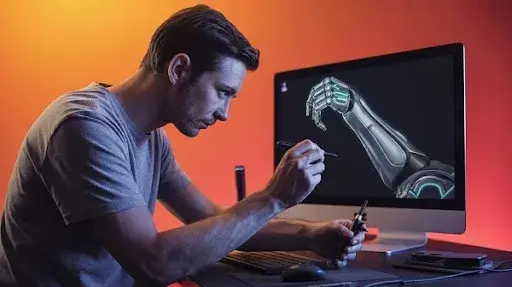
If you want to speed up your growth, here are habits that matter more than gear or tutorials:
- Start with small stuff — a mug, a helmet, a chair. Don’t begin with spaceships.
- Break apart real objects. Old radios, bike chains, laptop screws. Reality is the best guide.
- Keep your topology clean, even if nobody sees the wires. You’ll thank yourself later.
- Try projects outside your comfort zone. Architecture, jewelry, even medical props. It makes you versatile.
- Ask for critique. Other eyes catch mistakes you’ve become blind to.
That’s the secret: consistent practice plus a clean workflow for modeling. Not glamorous, just effective.
Hard Surface Modeling in Professional 3D Animation Services
Studios treat this work differently. For them, it’s not just geometry. It’s world-building.
Picture a mech in a sci-fi movie. Its joints and armor can’t just “look cool” — they need to feel like they could take hits and still function. Same with a medical drone in an explainer animation. If it looks flimsy, the story collapses.
That’s why professional 3D animation services use modeling as a storytelling tool. Pipelines move step by step:
- concept sketches
- block-outs
- refined meshes
- textures
- rigging
- rendering
Each stage adds credibility. Skip one, and the whole illusion cracks.
Case Study: Medical Drone 3D Modeling Hard Surface
Let’s ground this in an example. Imagine a studio tasked with designing a medical drone.
The job starts with research: existing drones, rotor mechanics, even medical storage kits. The block-out stage locks in proportions — rotors that can actually lift, compartments that fit supplies. Detailing adds believability: sensor panels, protective casings, landing gear.
Then comes texturing. Carbon fiber wings, stainless hinges, reinforced glass for cameras. When rendered, the drone doesn’t look like “a model.” It looks like something engineers might actually build.
That’s the power of strong modeling experience: making imaginary things feel real.
What’s Next for Hard Surface Modeling?
The field isn’t static. A few shifts already shaping workflows:
- AI helpers. Software now predicts topology flow or spits out base meshes.
- VR block-outs. With headsets, artists sketch shapes directly in 3D space. It’s fast, and proportions just click better.
- Real-time engines. Tools like Unreal let you see how lighting and materials behave instantly.
- Cross-industry growth. From hospitals to architecture firms, more industries lean on 3D than ever before.
The future is basically: faster, smarter, more integrated.
Frequently Asked Questions
Which industries need it most?
Games, film, architecture, product design, engineering, healthcare. Medical drone 3D modeling hard surface is a growing niche.
Do I need pricey software?
No. Blender is free and powerful. But Maya, 3ds Max, and Fusion 360 still dominate many studios.
How do I improve my workflow for modeling?
Use solid references, block out first, keep topology clean, and always test renders in varied light.
Should I learn both organic and hard surface?
If you can, yes. Many hybrid designs (think biomechanical creatures) demand both. Studios love versatility.
Final Word
Hard surface modeling isn’t about “making objects.” It’s about crafting believable designs — a mech, a drone, a piece of jewelry — that look engineered, not imagined.
The secret is practice plus structure. Build a workflow for modeling, keep refining, and explore projects outside your comfort zone. Every project sharpens your modeling experience.
And as tools evolve — AI helpers, VR workflows, real-time engines — the opportunities expand. For artists who keep pushing, the field isn’t just alive. It’s wide open.
Want to know more about it? Get in touch with Prolific Studio today. We as one of the best animation studios in Santa Monica deliver 3D animation services that are hard to beat.