Every animated character that ever walked through a scene started with a well-developed walking animation. From the confident stride of a hero to the clumsy, halting shuffle of a cartoon sidekick, the walk cycle acts as the foundation of any believable motion.
Get it right, and your character feels alive. Get it wrong, and the audience will sense something’s off — even if they can’t explain why.
In animation, walking entails much more than the mechanical movement of legs. Rhythm, weight, personality, and emotion, encapsulated within a few frames and meticulously crafted, determine the quality of the cycle, which is why studios offering 3d video animation services focus heavily on perfecting each step.
This guide is designed to help you with everything walk cycles entail, their importance, and their animation.
[elementor-template id=”13845″]
What is a Walk Cycle in Animation?
A walk cycle is the animated cartoon character’s movement cycle as they walk. These movements include a variety of frames, which, when seamlessly repeated, would depict the character walking in a continuous motion.
Consider the walk cycle the groundwork of any ambulation movement. As such, it can operate within a set framework that can be adjusted in both tempo and pace. It saves effort through automation by allowing a character to ‘walk’ across the screen without every individual step being animated.
Key points about a walk cycle:
- It’s usually 8 to 16 frames long for smooth motion.
- Each frame represents a key position in the character’s stride.
- Walk cycles are used in 2D, 3D, and even stop-motion animation.
Why is a Walk Cycle Important?
A character’s walk cycle, although technical in nature, is also integral to the story. A character’s gait can also reveal a great deal about their mood, self-image, and past experiences.
- A soldier’s walk might be sharp and disciplined.
- A tired office worker might shuffle with slumped shoulders.
- A child might bounce with quick, energetic steps.
An effective walk cycle builds personality without a single line of dialogue. For animators, it’s one of the most versatile tools to convey character traits instantly.
From a business point of view, an animated character’s walk cycle can be beneficial. An animated walk can be reused for different scenes, and only minor adjustments need to be made to the rest of the steps.
The Basic Walk Cycle Stages
Proper walk cycles in animation can be made of a few core stages. Not including some of the critical stages will make the animation stiff and unnatural.
1. Contact
A case of walk cycles is the frame when one foot is just about to lift, and one is about to touch the ground. Both feet will be touching the ground in this frame. The contact pose sets the stride length and helps define the pace.
2. Down
Here, the weight of the body shifts downward as the leading foot takes the body’s weight. The knees bend slightly to absorb impact.
3. Passing
The trailing foot passes the stationary foot. This is a key transitional moment and helps the movement feel fluid.
4. Up
The body rises slightly as the foot pushes off the ground. This creates a bounce in the walk.
In the basic walk cycle stages, symmetry and timing are critical in portraying realism, and the second half of the walk cycle, which combines the opposite leg, is fundamentally symmetry.
How to Make a Walk Cycle
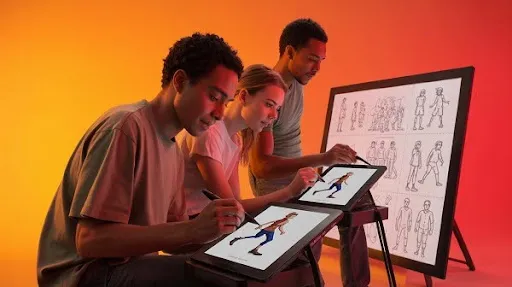
A walk cycle captures animated motion that, through the automation of leg movement, appears to be mechanized. Here is a possible breakdown of the process.
- Plan the personality — Decide if the walk is casual, energetic, sneaky, or tired. This will influence posture, speed, and stride length.
- Sketch the key poses — Contact, down, passing, and up. These form the skeleton of your walk cycle.
- Add in-betweens — Adding movement to the rest of the steps is known as secondary movement, which in this instance can be characterized as the swaying of the arms or the bouncing of the hair as the character walks.
- Test the loop — Repeatedly view and make adjustments to the pacing of the motion until it appears seamless. Speed and sluggishness can be adjusted in the animated timing.
- Refine details — In addition to the core motion, make it more believable by including finer details such as a head tilt, a bounce of clothes, or a sway of the hip.
Pro tip: Study walk cycle videos or record yourself walking for reference. You’ll notice small shifts in weight and posture that make a big difference in animation.
Examples of Animated Walk Cycles
Analyzing others’ work can enhance creativity and innovation. The following are some of the walk cycle examples that you may find helpful in your assignments and projects.
- Classic 2D Animation: Disney characters often have exaggerated walks that match their personalities.
- 3D Animation: Pixar and DreamWorks focus on realistic motion blended with stylized touches for each character.
- Stylized Walks: In the case of cartoons and video games, individuals can utilize walk cycles that would benefit the scene in the most comical way, whether it be a character that walks in an exaggerated pace or a trot that is recurring in a bouncing manner.
Studying a range of pre-existing examples of walk cycles proves helpful in understanding repetitive errors by showing the incorrect alignment of contact foot position and arm swing.
How Many Frames in a Walk Cycle?
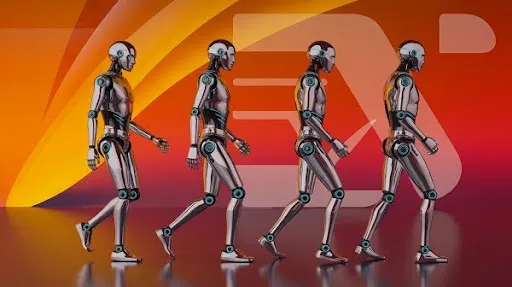
The frame count varies depending on the style and frame rate of your project. A standard walk cycle in animation will take a step in 12 frames (24 frames for a full cycle) at 24 frames per second. This gives smooth, natural motion.
Stylized versions of a walk cycle may take fewer frames to make the motion look snappier. In the case of slow-motion animation frames, the cycle can be stretched to make every single frame capture the movements in detail.
Exploring the World of Walk Cycles
A walking animation doesn’t have to follow the same pattern every time. The basic formula is just a starting point — from there, you can experiment with style, speed, and exaggeration.
A few variations include:
- Normal walk — Balanced, everyday movement.
- Sneak walk — Lower body posture, careful foot placement, minimal bounce.
- Proud walk — Chest forward, strong arm swing, longer strides.
- Sad walk — Drooping shoulders, slow pace, minimal lift in feet.
Changing small elements like stride length, hip movement, or arm swing can completely transform how a character feels. That’s the magic of walk cycle creation — it’s both technical and artistic.
How to Animate a 2D Walk Cycle
Creating a 2D walk cycle works in a similar way to 3D animation. In this instance, you will be working with sketches or flat drawing images. To animate a 2D walk cycle, follow these steps:
- Start with stick figures — Focus on movement and posture before adding details.
- Draw the key stages — Contact, down, passing, and up.
- Add breakdown poses — These are transitional frames that smooth the motion.
- Refine and add character — Include clothing movement, facial expression, and any props.
- Test and tweak — Play the sequence in a loop to see if the walk feels natural.
In 2D, exaggeration often works well. Since you’re not bound by physics as strictly as in 3D, you can push movements to match a more cartoonish or stylized tone.
What Makes an Effective Walk Cycle
An effective walk cycle animation connects physically accurate movement with personality-driven details. Here’s what to keep in mind:
- Consistency — Ensure proper foot placement, step length, and timing of each step.
- Weight shift — Make sure the hips and torso reflect where the weight is moving.
- Natural arm swing — Arms should move opposite to legs for balance.
- Secondary motion — Clothing, hair, or accessories add life to the animation.
- Personality cues — Even subtle changes can signal mood or intention.
Tips for Creating Smooth Walk Cycles
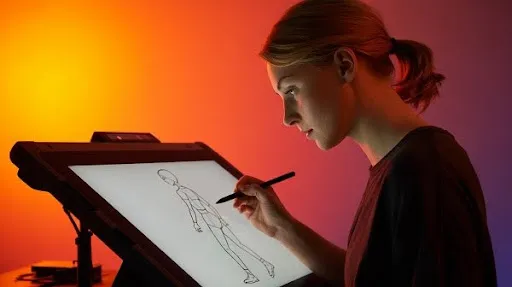
When you create your animated walk cycle, these quick tips can help avoid common mistakes:
- Keep head movement subtle unless you want a dramatic effect.
- Check foot contact points to avoid “sliding” on the ground.
- Use reference footage of real people walking.
- Balance both sides of the cycle — asymmetry can break the illusion.
- Don’t forget body rotation — hips and shoulders often move slightly opposite each other.
Pre-Existing Examples of Walk Cycles You Can Study
If you want to improve your skills, study examples of animated walk cycles from different mediums:
- Animation books like The Animator’s Survival Kit by Richard Williams.
- Online animation forums and communities that share walk cycle breakdowns.
- Animated TV shows where background characters loop through cycles continuously.
Studying these will sharpen your eye for spotting what works — and what doesn’t — in character movement.
Common Walk Cycle Mistakes to Avoid
Even experienced animators slip up sometimes. Avoid these pitfalls:
- Floating characters — Feet don’t align with the ground plane.
- Rigid movement — No hip or shoulder movement, making the character stiff.
- Timing errors — Walks that feel rushed or sluggish.
- Overcomplication — Adding too many movements that distract from the walk itself.
FAQs on Walking Animation
Can I use the same walk cycle for every character?
Not if you want them to feel unique. Personality, body shape, and emotion should influence each cycle.
What software is best for walk cycles?
Popular options include Adobe Animate, Toon Boom Harmony, Blender, and Maya.
Why is a walk cycle important in animation?
It’s the foundation for character movement, helps express personality, and saves production time.
How do I make a walk cycle loop seamlessly?
Ensure your first and last frames match perfectly so the transition is smooth.
Final Word
A polished walking animation can turn a static character into someone audiences connect with instantly. At Prolific Studio, one of the best animation studios in Baton Rouge, we know how to create an intricate walk cycle, whether it be the movement or an exaggerated comedic strut. The animations we make are always realistic and engaging.
Basic walk cycles, stylized movements, or walk cycle videos customized to your brand are all in your scope. Our team is ready to make your ideas a reality.
Character movement focuses on finer movements, which makes the difference between a true walk and a character that moves. Skilled animators ensure to get the details are right.
Related articles: